

Speak Up
Anonymous Bullying Reporting & Insights
Speak Up gives every student a safe, anonymous way to report bullying, and gives the school the insight to act. A guided ten-step form captures what happened, where it happened and how the student feels. A rule-based severity score prioritises each case, and dashboards, a question explorer and case management keep counselling and pastoral care teams on top of safety across every school section.
Solution Overview
From a student’s voice to a counsellor’s action
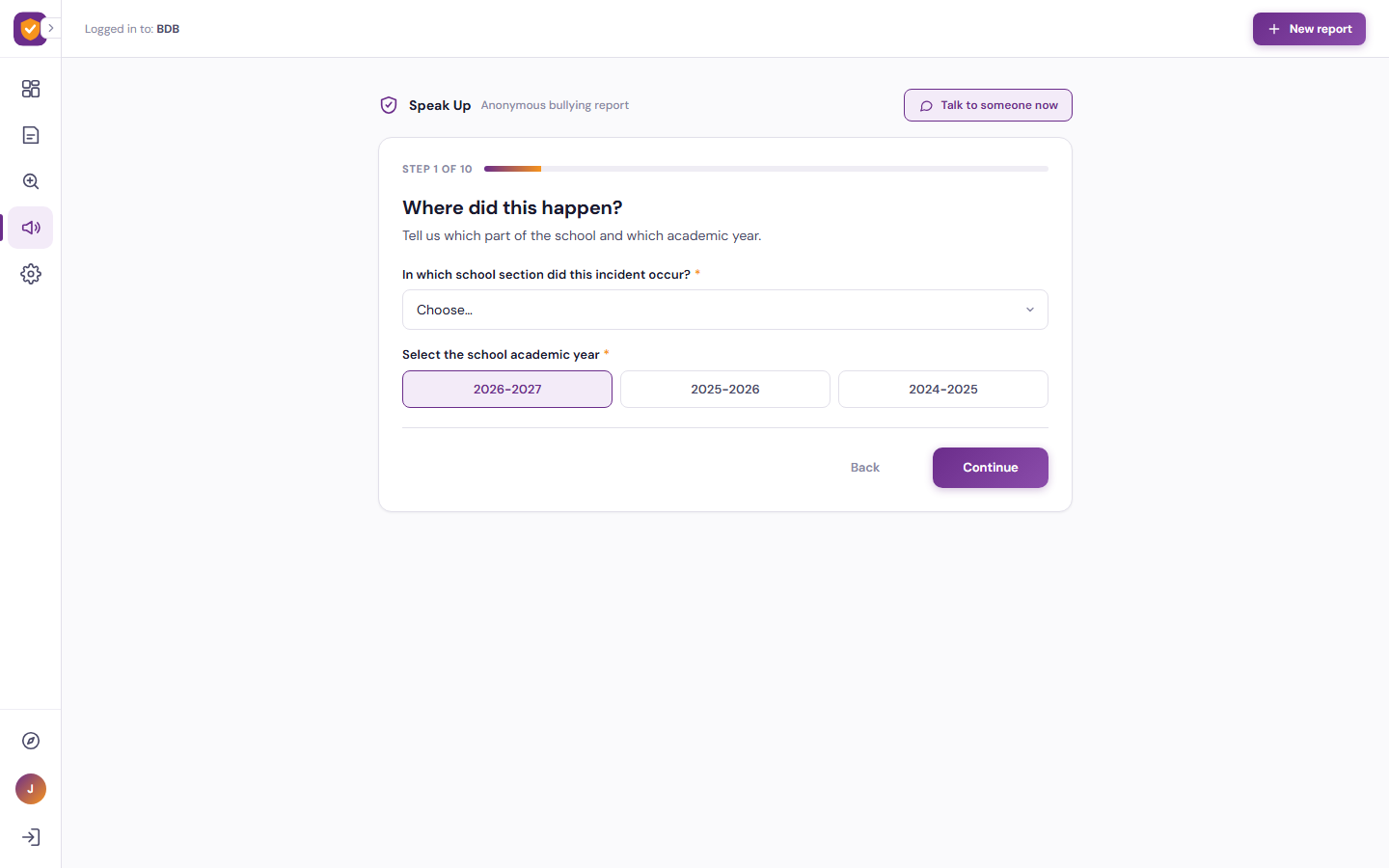
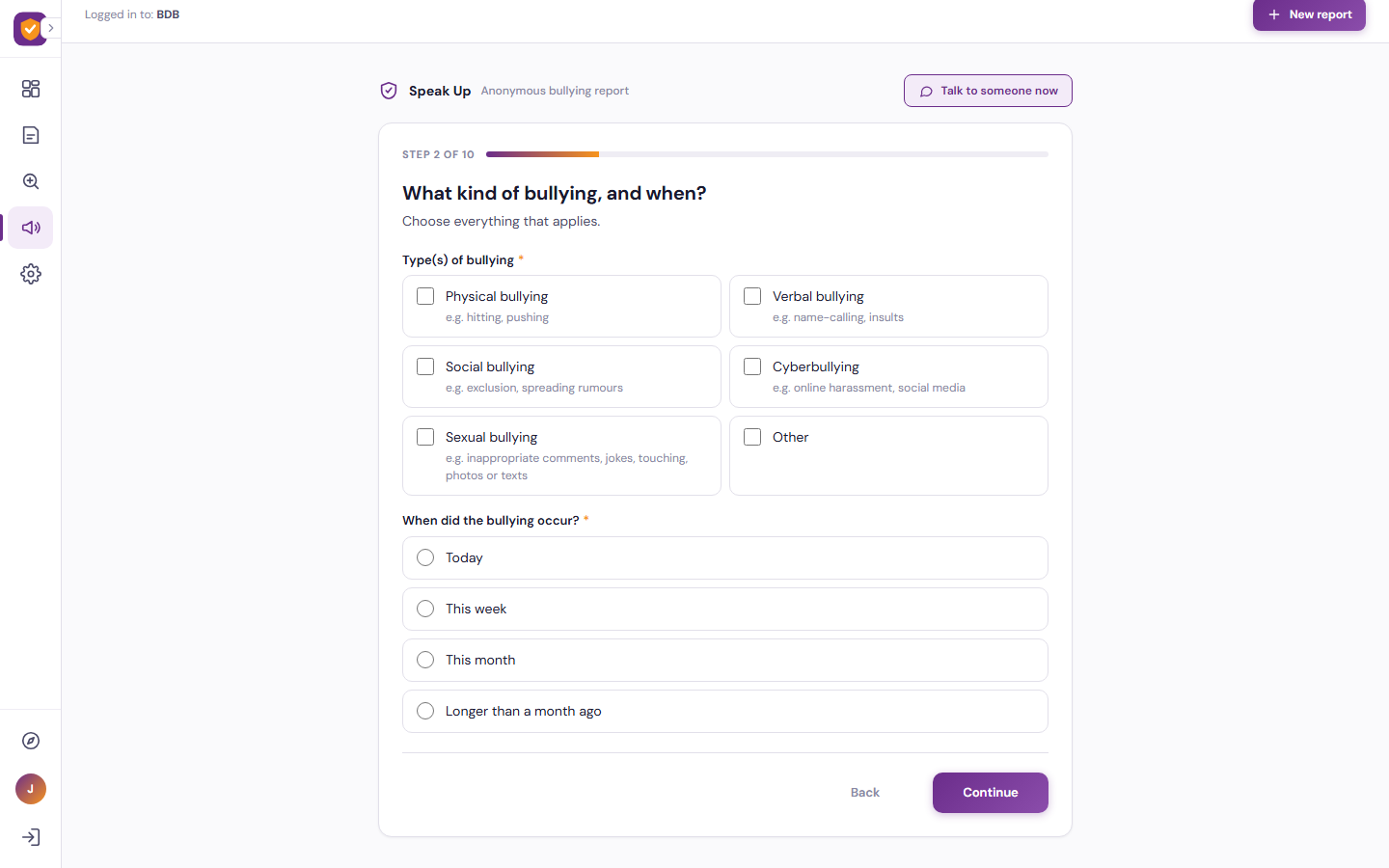
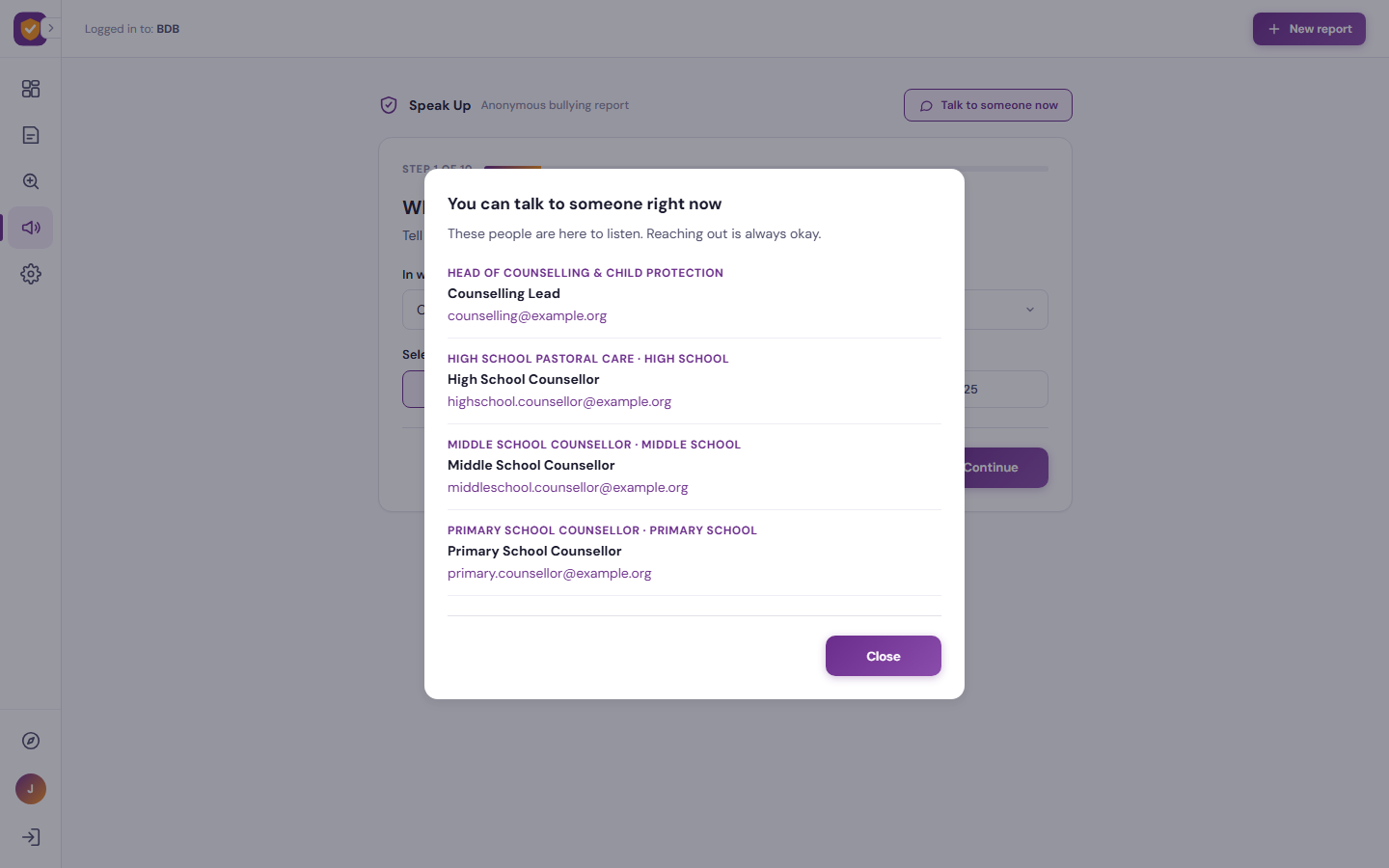
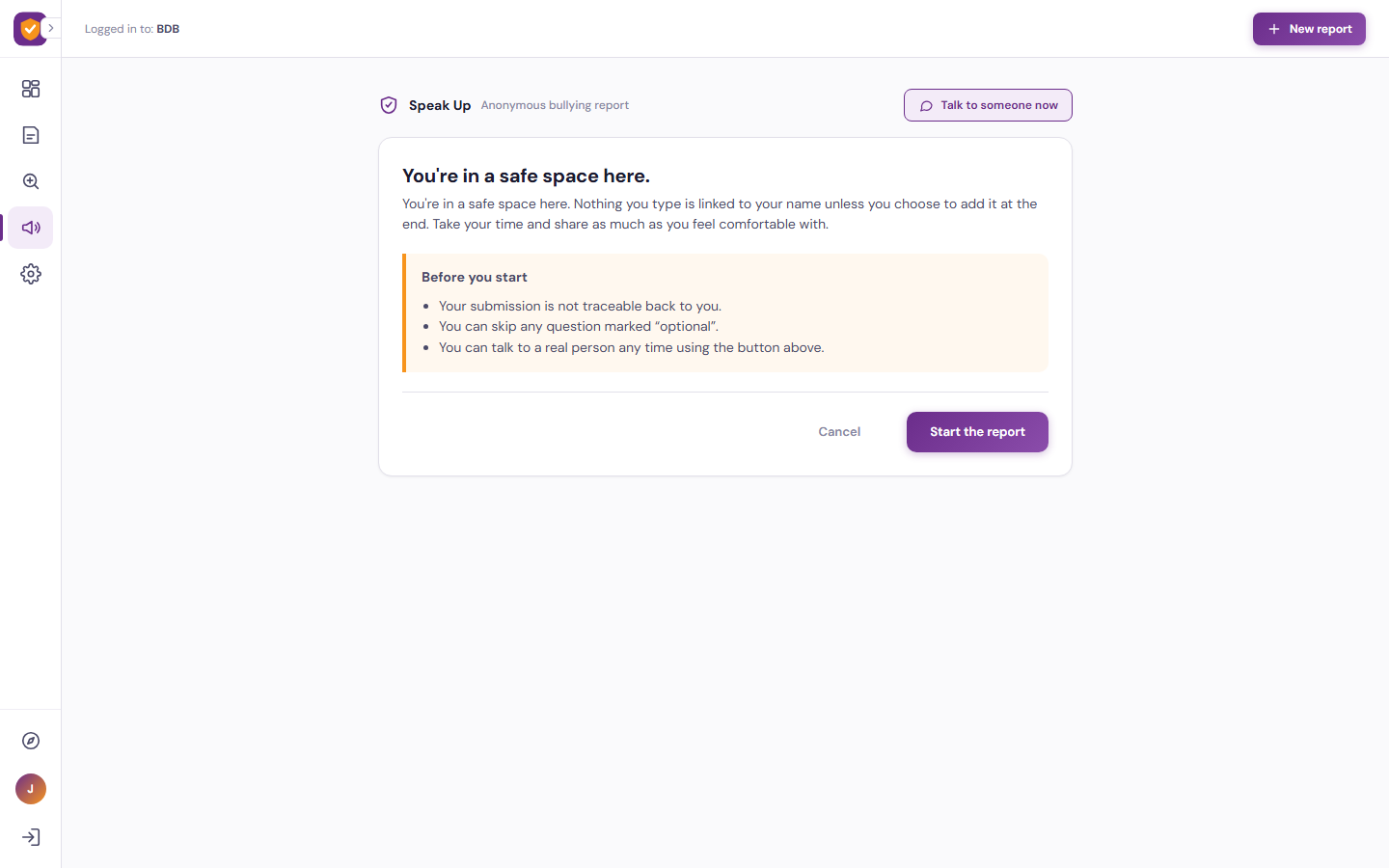
Speak Up turns anonymous bullying reports into clear, actionable insight. Students complete a calm, step-by-step form that asks where and when the bullying happened, what kind of bullying it was, how long it has been going on, whether anyone was present, why they think it happened, and how safe they feel. Nothing a student types is linked to their name unless they choose to add it at the end, and a “Talk to someone now” button puts the school’s counsellors one tap away at any point.
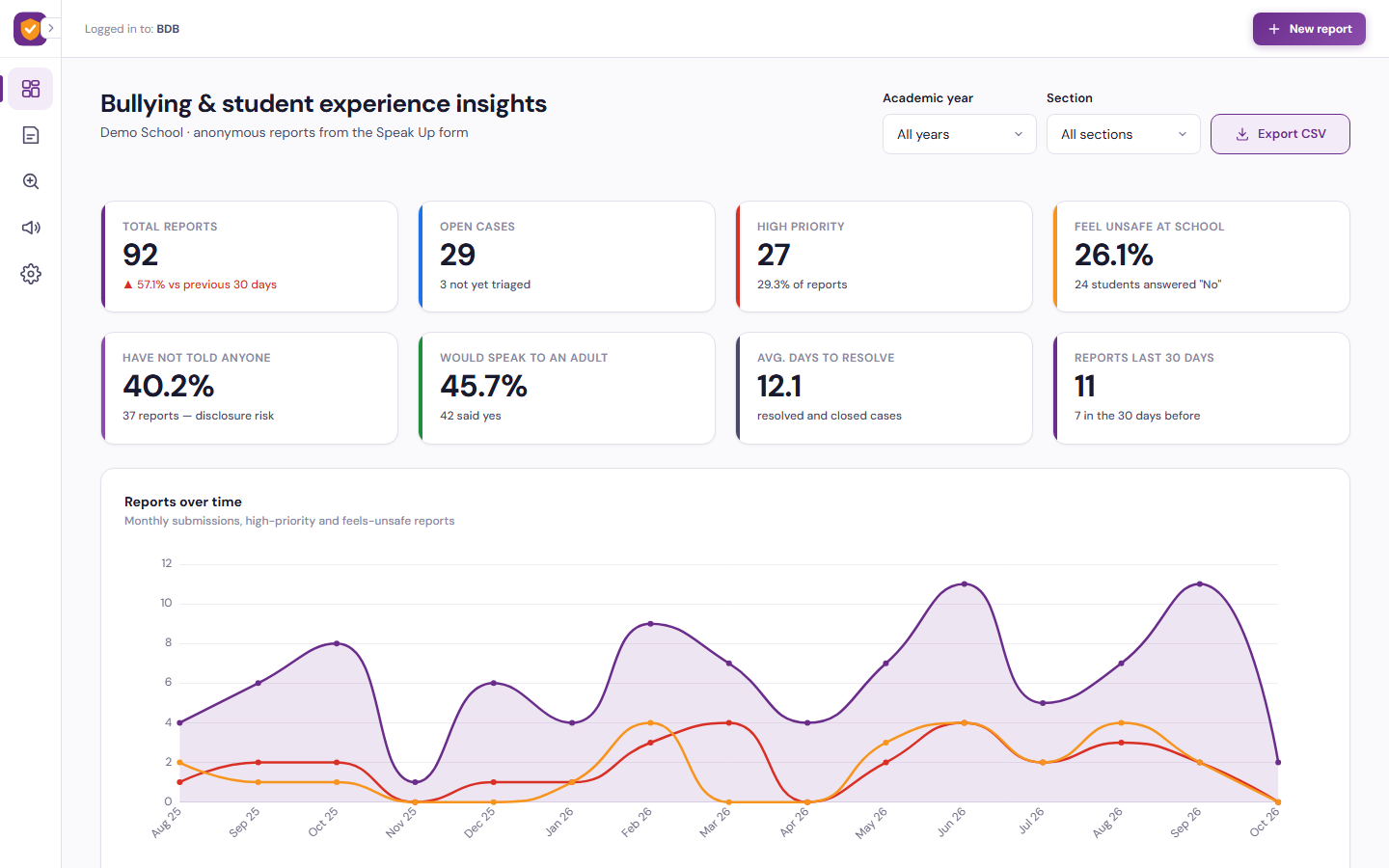
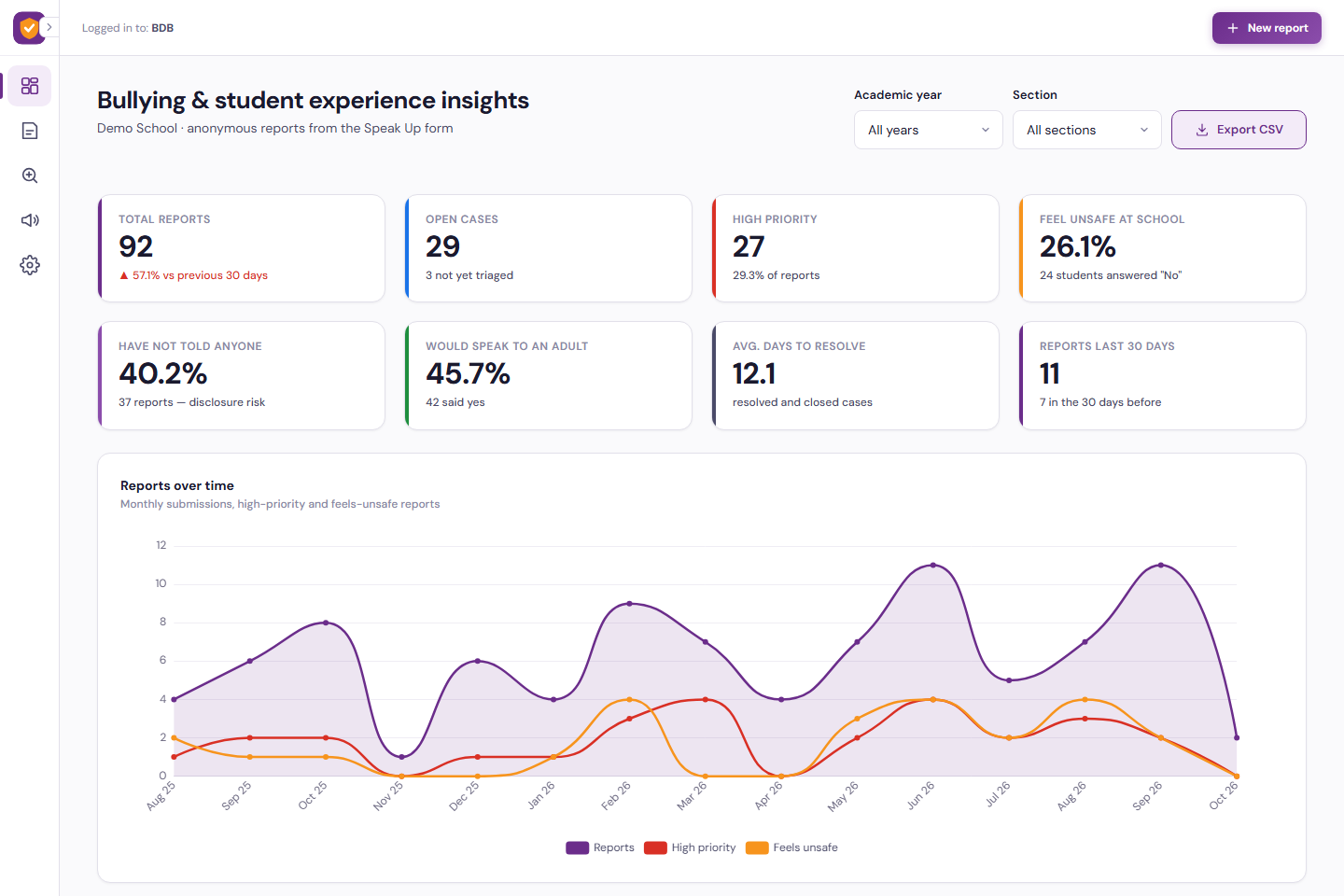
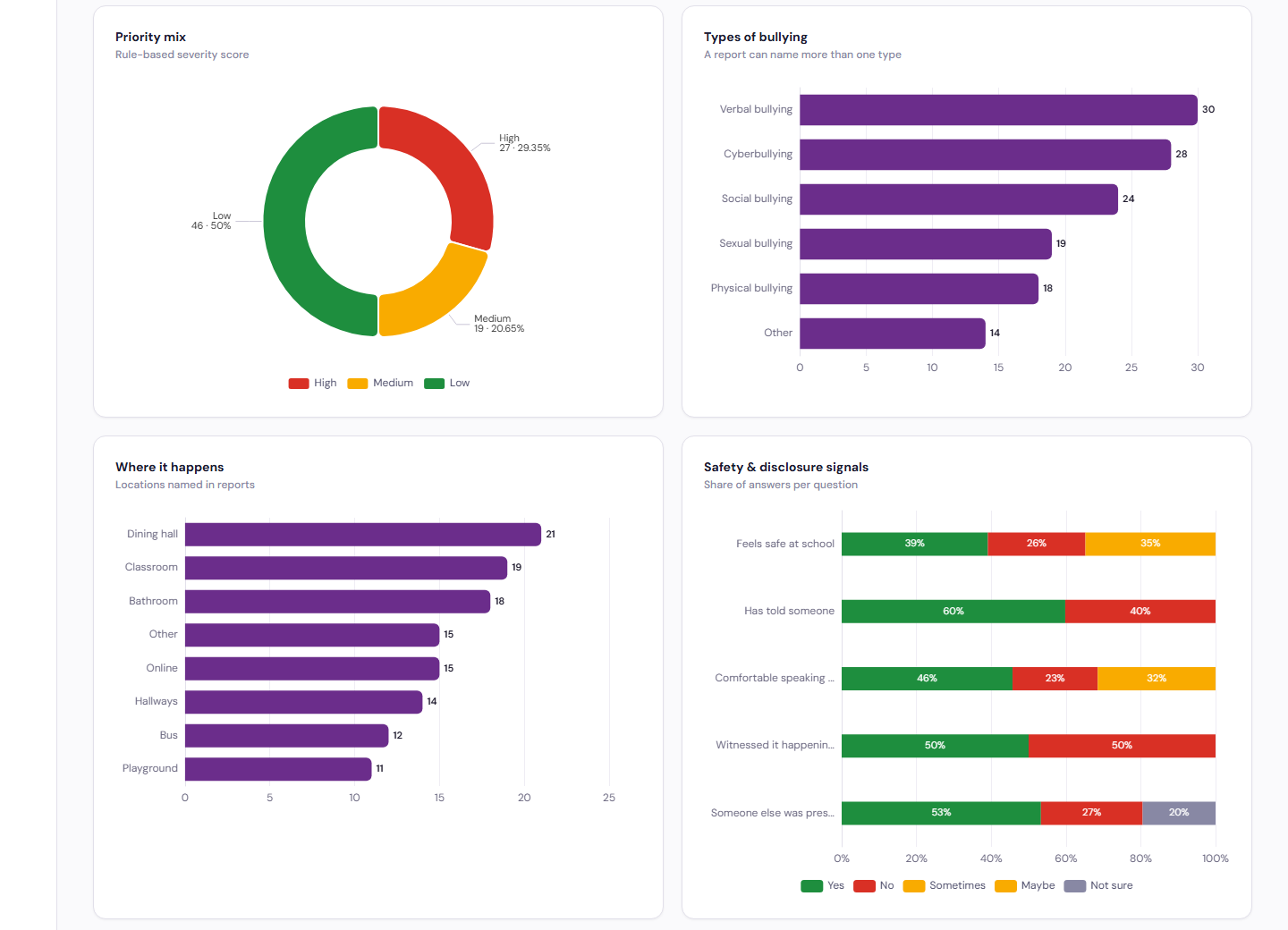
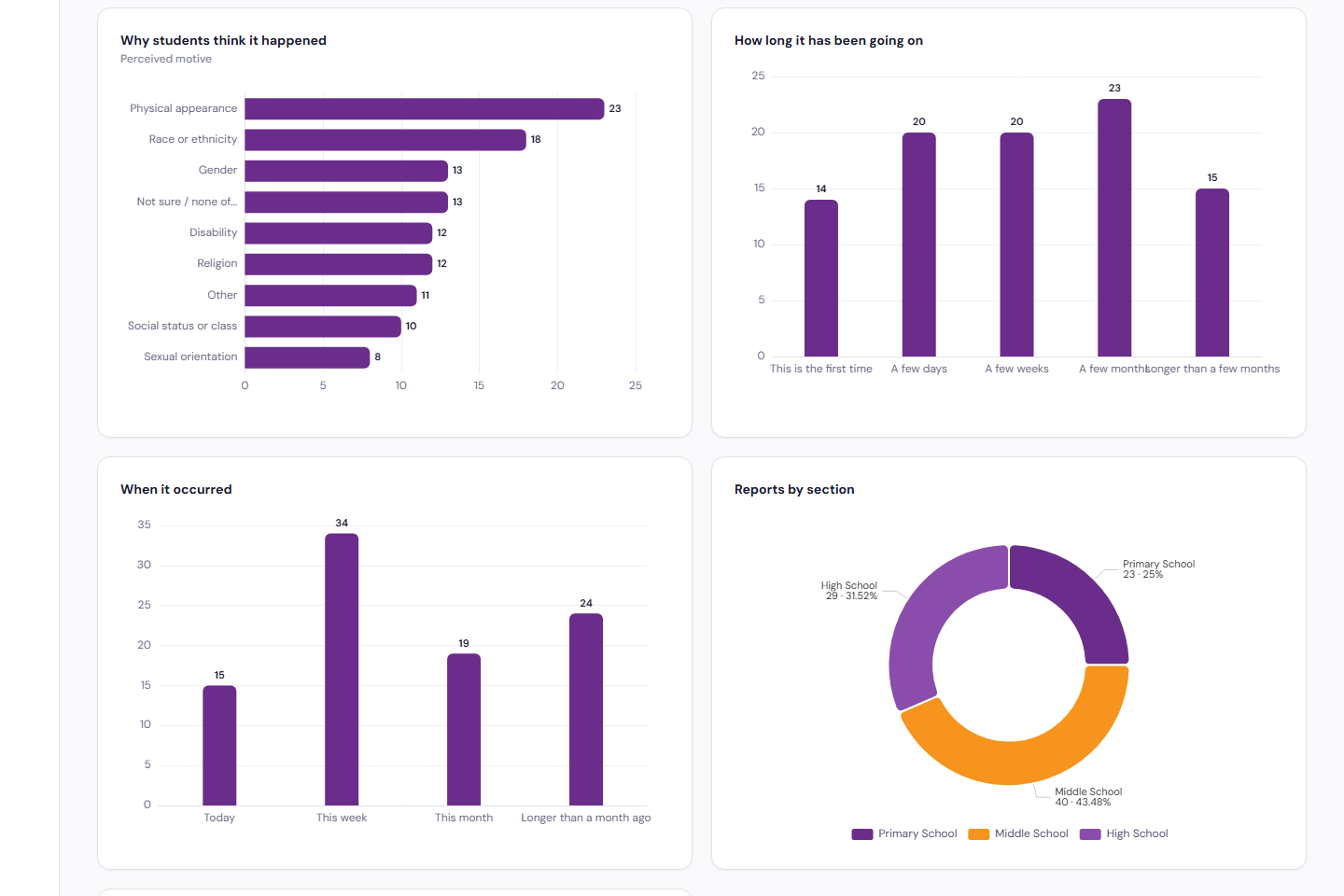
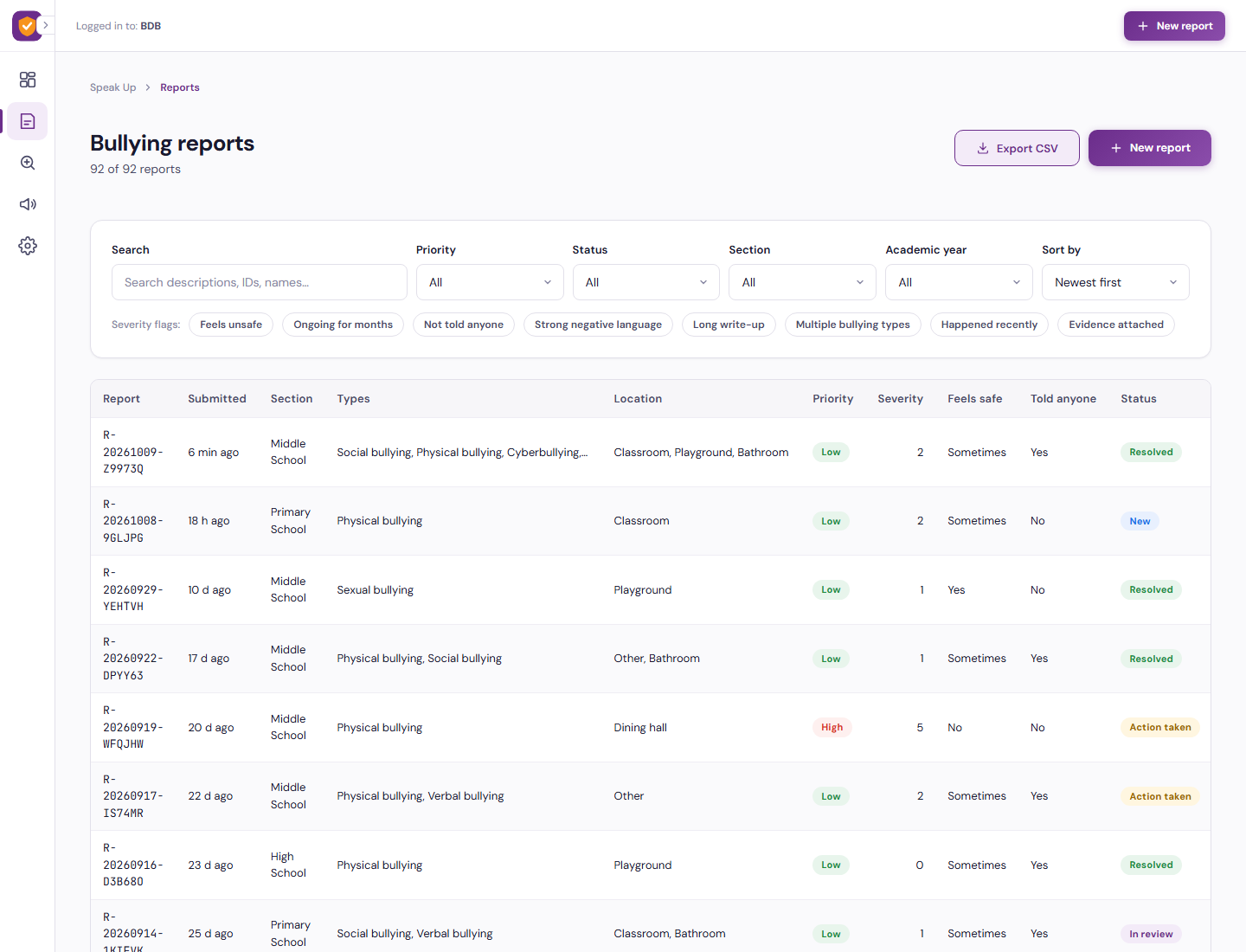
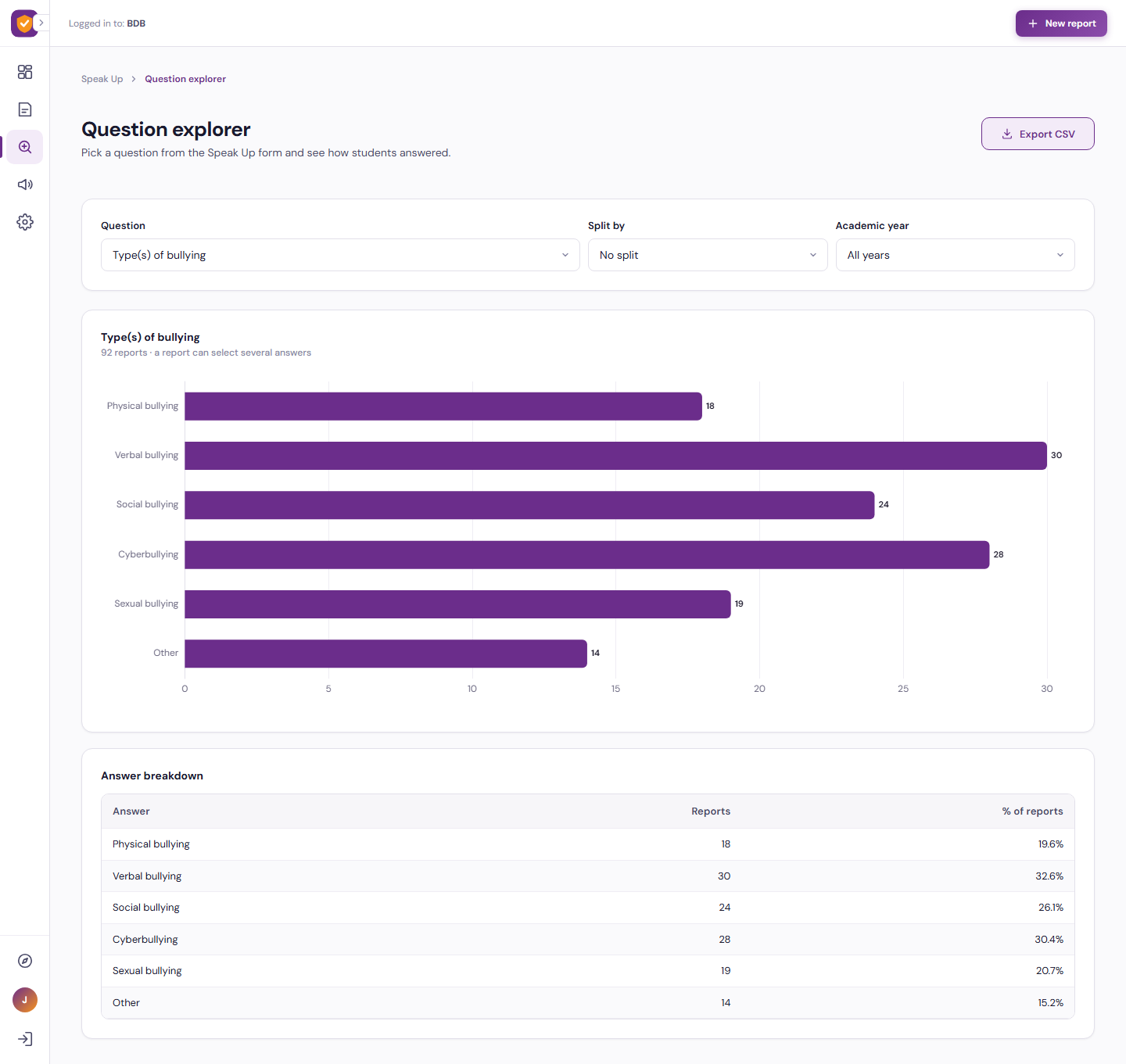
For the school, every report arrives with a rule-based severity score and priority. Counsellors browse, filter and export reports, open a case to assign it, add notes and update its status with a full timeline, and explore answers question by question. A dashboard shows report volumes, priority mix, types of bullying, where it happens, safety and disclosure signals, time to resolve and the open cases that need attention most, filtered by academic year and school section.
- Anonymous ten-step report with optional name and evidence link
- Severity flags such as feels unsafe, ongoing for months and not told anyone
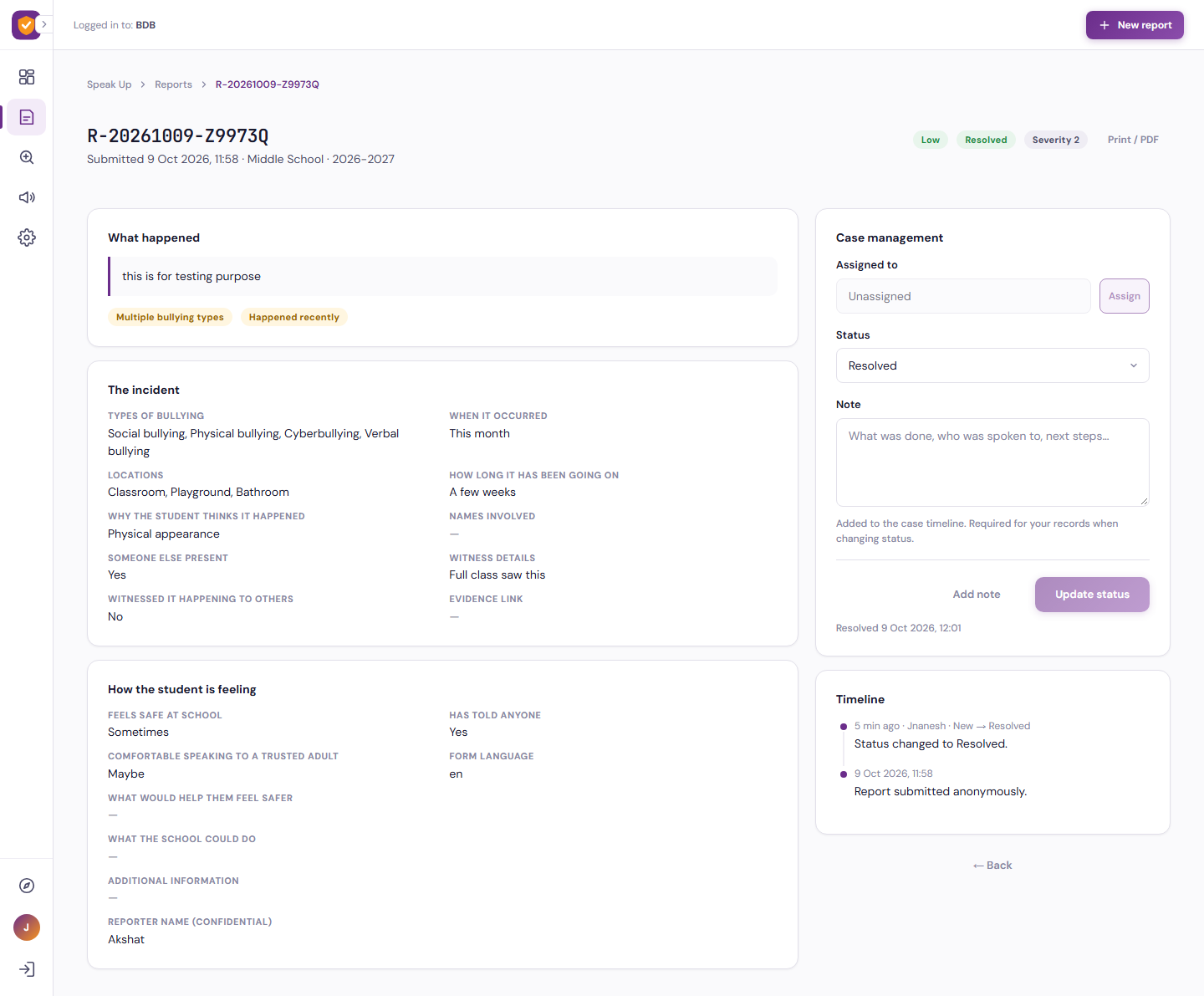
- Case management with assignment, notes, status changes and a timeline
- Dashboards, question explorer and CSV export for every section and academic year

What It Does
Anonymous Speak Up Form
A guided, student-friendly form that captures the incident, the people involved and how the student feels, with no sign-in and no tracing back to the student.
Severity-Scored Triage
Every report is scored and flagged automatically, so high-priority cases and students who feel unsafe rise to the top of the queue.
Insight Dashboards
Volumes, priorities, bullying types, locations, motives and disclosure signals, broken down by section and academic year.
Who It Serves
Speak up safely, at their own pace
- Report bullying anonymously in ten guided steps
- Skip any optional question and go back at any time
- Describe what happened, where, when and for how long
- Say how safe they feel and what would help
- Add their name, witness details or an evidence link only if they choose
- Reach a counsellor instantly with Talk to someone now
Triage, manage and resolve every case
- See new reports with priority, severity and safety flags
- Search, filter and sort reports by status, section, year and flags
- Open a case, assign a counsellor and add notes
- Move cases from New to In review, Action taken, Resolved and Closed
- Print or export a case summary to PDF
- Export report data to CSV
Understand the pattern and act on it
- Track total, open and high-priority reports over time
- See where bullying happens and why students think it happens
- Monitor disclosure and safety signals
- Compare primary, middle and high school sections
- Measure average days to resolve
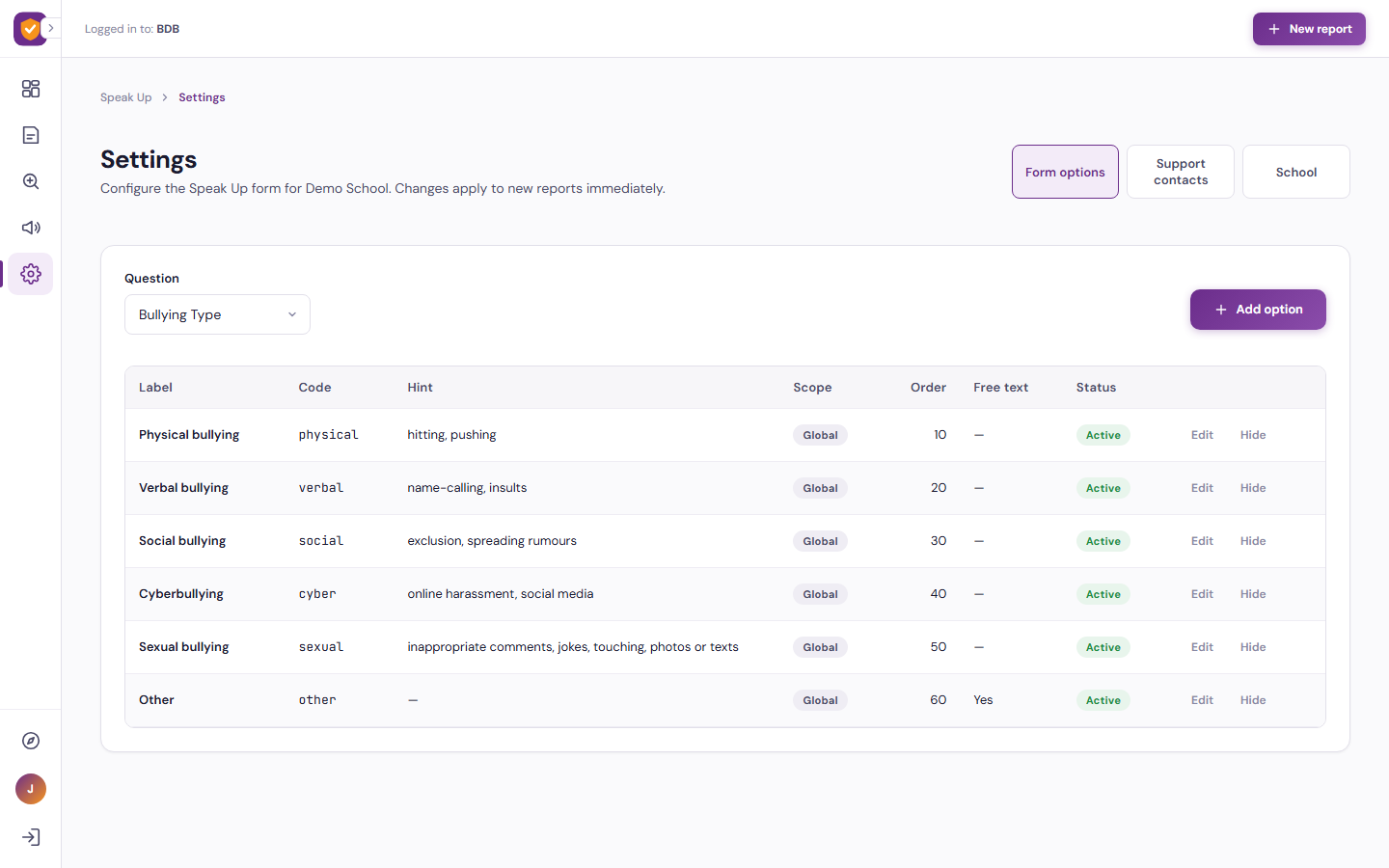
- Configure form options, support contacts and school details
How It Works
From report to resolution in four steps
A student opens the Speak Up form and answers one gentle question at a time. The moment the report is submitted it is scored, flagged and placed in the counsellors’ queue. The counselling team assigns the case, records what they did and updates the status, and the dashboard and question explorer turn every report into insight the school can act on.
Speak Up
A student completes the anonymous ten-step form, or taps Talk to someone now to reach a counsellor directly.
Triage
The report is scored and flagged automatically. Counsellors see priority, severity and safety signals at a glance.
Act
The case is assigned, notes are added and the status is updated through a complete timeline until it is resolved.
Learn
Dashboards and the question explorer show trends by section and year, so the school can prevent the next incident.
Benefits and Features
Anonymous by Design
No sign-in for students. Reports are not traceable unless a student chooses to add their name.
Guided Ten-Step Form
Section and year, bullying type, when and where, duration, motive, witnesses, feelings and what would help.
Talk to Someone Now
Counselling contacts for each school section are one tap away at every step of the form.
Severity Score & Flags
Rule-based scoring with flags such as feels unsafe, ongoing for months, not told anyone and evidence attached.
Case Management
Assign cases, add notes, change status and keep a full timeline from submission to closure.
Reports & Filters
Search, filter by priority, status, section and year, sort by severity and export to CSV.
Insight Dashboard
Volumes, priority mix, bullying types, locations, motives, disclosure signals and days to resolve.
Question Explorer
Pick any form question and see how students answered, split by section, year, priority or feels safe.
Configurable Settings
Edit form options, hints and ordering, support contacts and school details without code.
Platform Screens
Two Entry Points, One Platform
Student
Submit an anonymous report in ten guided steps, or reach a counsellor straight away with Talk to someone now.
Open the Speak Up form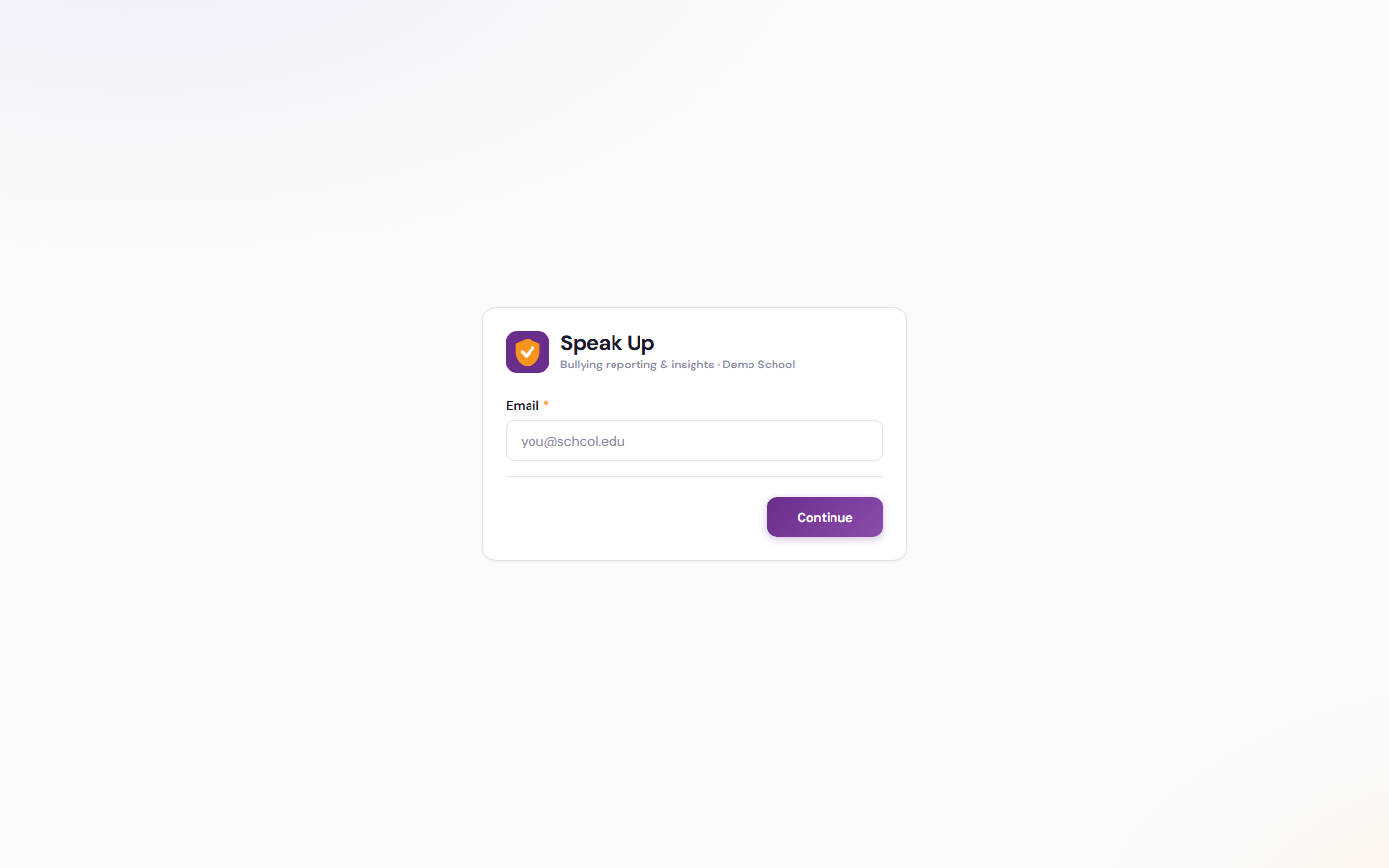
Staff
Counsellors and school leaders sign in with their BDB platform account to triage cases, manage reports and explore insights.
Staff sign in
Tailored to Your Institution
Flexible by design
The solution provides flexibility to tailor components to the institution’s own identity and requirements. Logo, branding, colour theme, communication style, terminology, workflows and other institution-specific requirements can be customised if required.
Every element seen in the demo is a starting point. Yujaa configures the solution around how your counselling and pastoral care team already works, so everyone experiences a platform that feels like their own.
Logo & Branding
Institution logo, name and visual identity across every portal and email.
Colour Theme
Palette and styling aligned to the institution’s brand guidelines.
Communication & Terminology
Email tone, labels and terms matched to how the institution speaks.
Workflows
Approval steps, forms and role permissions set to local requirements.
Ready to Give Every Student a Voice?
Walk through the student form, the counsellor workspace and the insight dashboard in the live demo. Built and hosted on the BDB Platform.